Collaboration
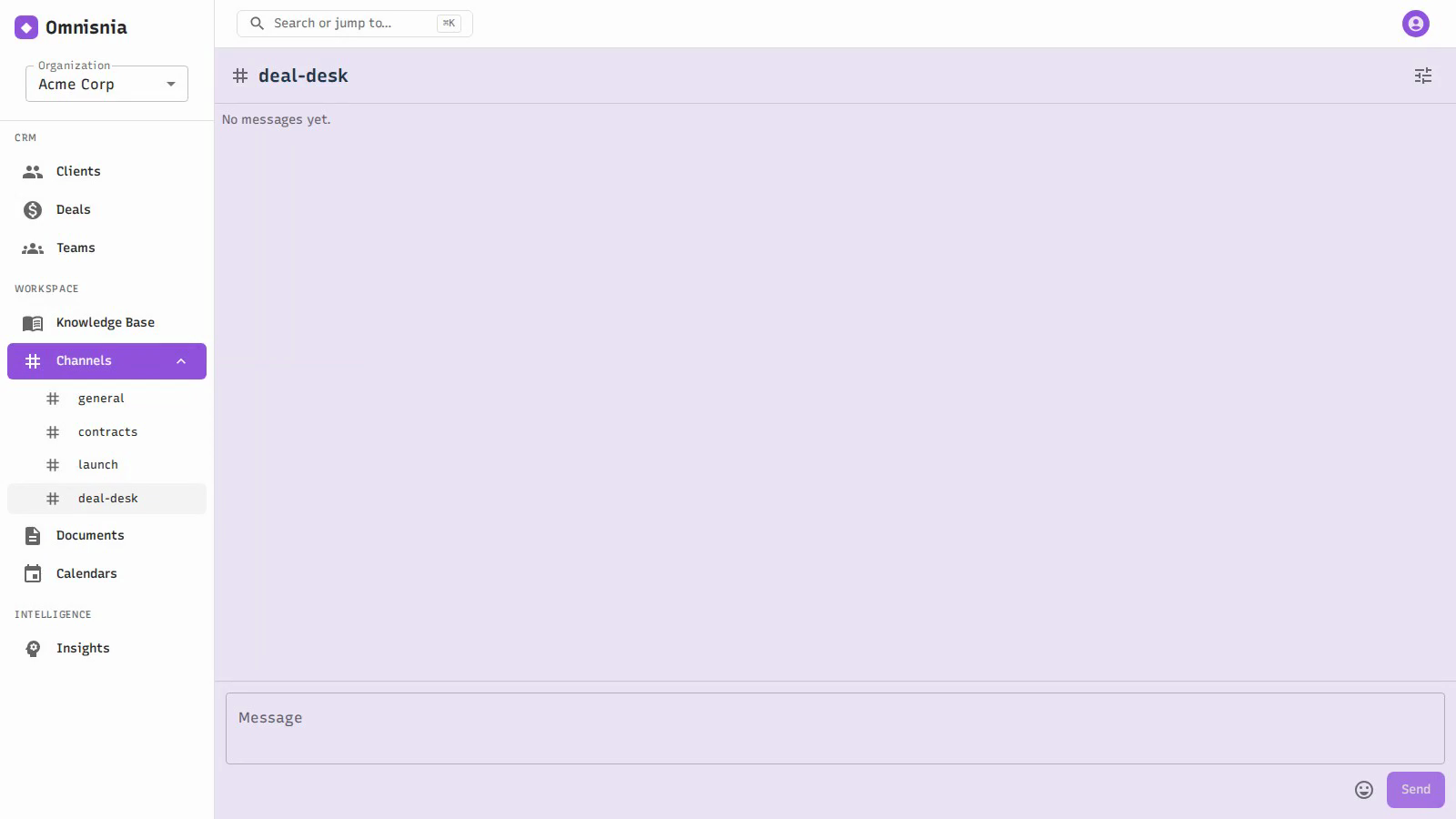
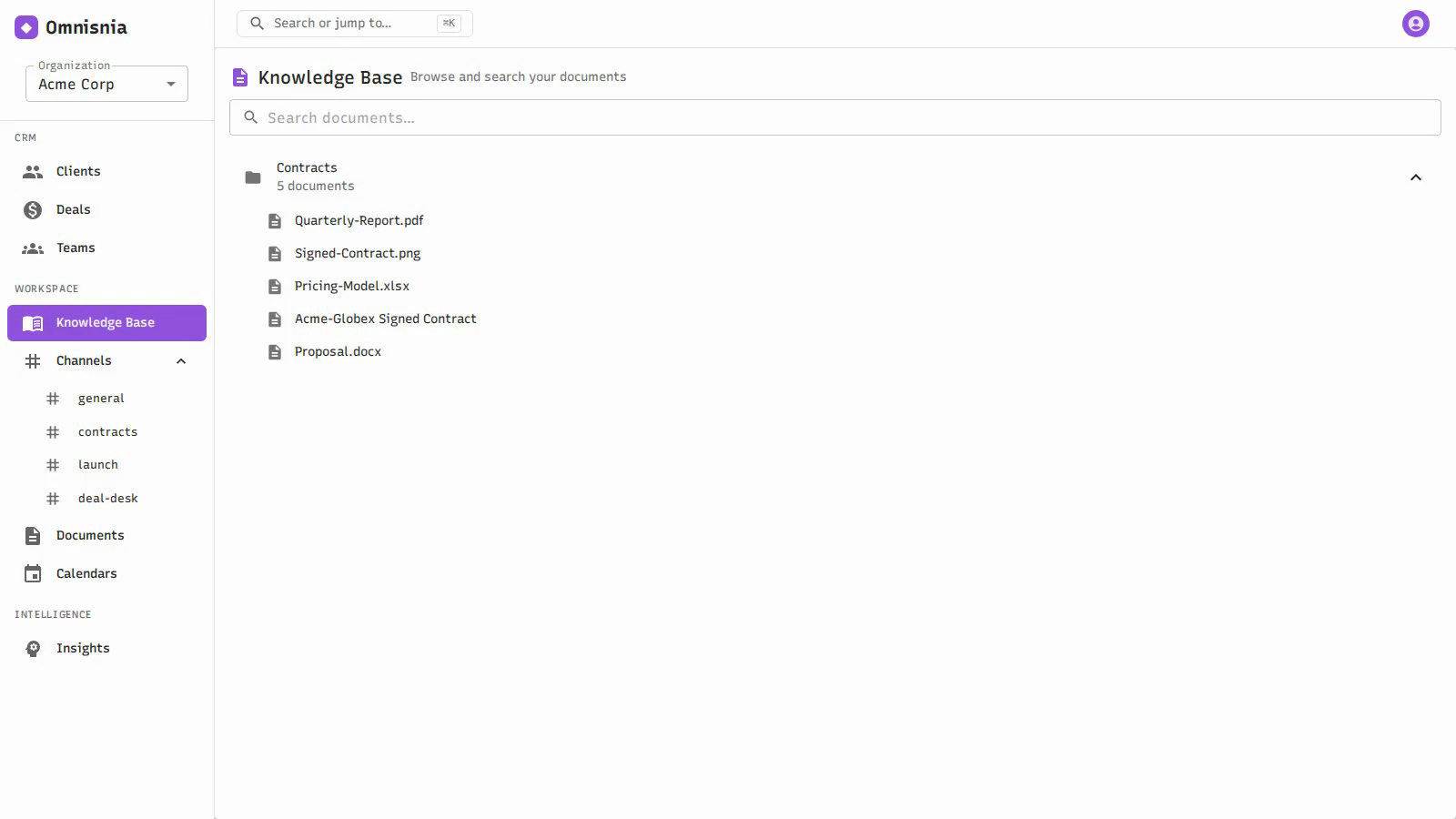
Beyond the CRM, Omnisnia is a place for your team to work together: real-time channels for messaging, versioned documents you can upload and search, folders to organize them, and teams to group your people.
Availability depends on deployment mode. Teams and Channels are multi-user features and are hidden when the instance runs in solo mode. If you do not see them, your instance is set up for single-person use. See Getting Started .
Channels
A channel is a real-time messaging space for your team, similar to a chat room. Messages you post appear immediately for everyone in the channel, and unread activity is surfaced so you can see what needs your attention.
- Create a channel for a topic, a project, or a team.
- Add members to control who is in the channel.
- Post messages — they are delivered live to everyone in the channel.
- Unread indicators show you channels with new messages you have not read; you can mark a channel read once you have caught up.
Channels are also where you can work with the Omni assistant in context — you can prompt Omni inside a channel and it answers there, grounded in that channel’s conversation and any documents in its scope.
Documents and folders
Documents are files and records you keep in Omnisnia, with full version history and search.
Working with documents
- Create a document and give it a title.
- Upload a file to it — the document holds the file’s content.
- Download the current version, or a specific earlier version.
- Preview a document’s content.
Version history
Every change to a document is kept as a version. You can:
- List the versions of a document to see its history.
- Download any version, not just the latest.
- Restore an earlier version to make it current again.
Because history is preserved, you can always go back to a previous version of a contract, proposal, or any other document.
Searching documents
Documents are searchable, so you can find content across your organization’s documents rather than hunting through folders. Search covers the text in your documents. When your administrator has configured semantic search (an inference endpoint with embeddings), search also matches on meaning, not just exact words; without it, keyword search still works. See Omni Assistant .
Folders
Folders organize documents into a structure that suits your team. You can add members to a folder to control who can access the documents inside it. Folders also define what an Omni -in-a-channel prompt can draw on when a channel’s knowledge scope is set to specific folders.
Teams
A team is a named group of people in your organization. Teams let you organize your users into the groups they actually work in, and manage membership in one place. Add and remove members to keep a team’s roster current.
Related pages
- Omni Assistant — prompt Omni inside a channel, grounded in your data
- Account & Organizations — users, roles, and organizations
- Getting Started — team vs. solo mode